


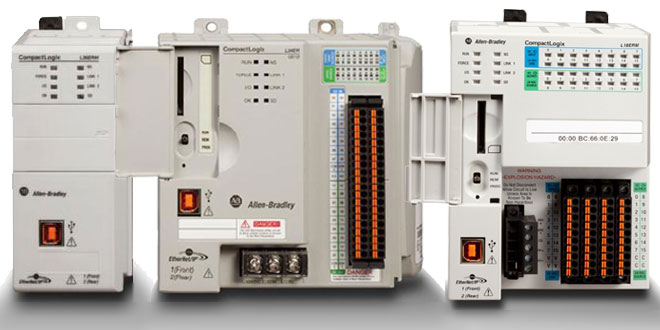
 If you’re still using BOOT-P to set the IP address of your USB equipped 5370 CompactLogix, today I’ll show you a much easier way.
First, you’ll need a standard USB cable. This is the same type you would use with a USB printer with the familiar flat side which plugs into your PC, the nearly square side which plugs into your 5370 CompactLogix.
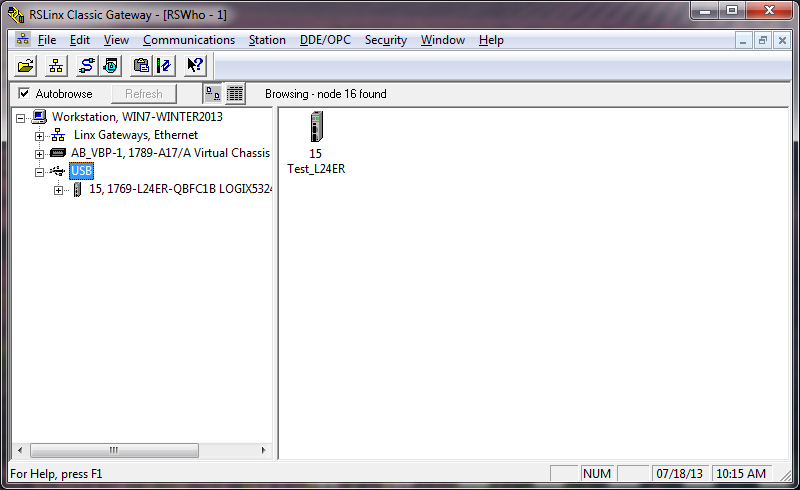 Once you’ve connected you PC to your 5370 CompactLogix using USB, and have powered your CompactLogix on, you will see Windows load the drivers, and then a new USB driver appear in RSLinx automatically.
Note: To use the USB driver in RSLinx Classic you’ll need to have a fairly recent version (no, the 1996 version will not work.) You can get the latest version of RSLinc Classic Lite for free from Rockwell HERE.
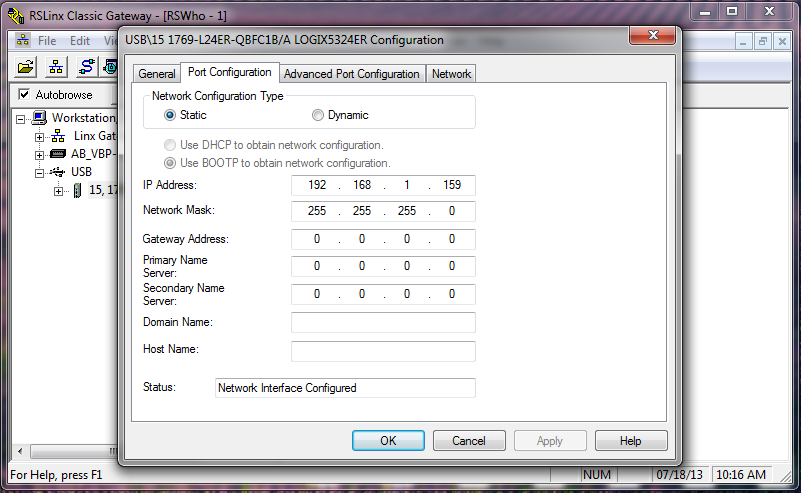
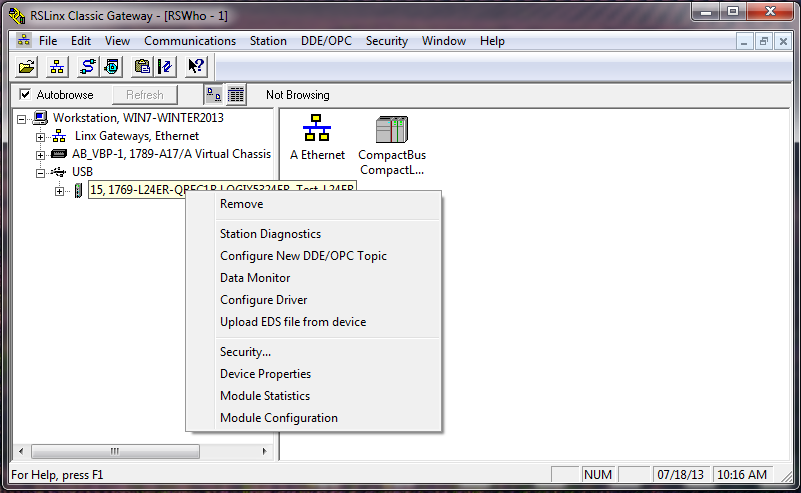 When you expand the USB driver in the RSLinx – RSWho, you’ll see your CompactLogix. At this point just right click on it, select Module Configuration, and the Port Configuration tab and you can now change the Ethernet port’s IP address.
Tip: This procedure also works with the new 5570 1756-L7x processors, as well as USB 1756 Ethernet modules like the 1756-EN2T.
 I hope this article on how to change an IP address by going through the USB port is helpful. If you have any comments, questions, or corrections please don’t hesitate to leave them by using the “post a comment or question” link below.
Until next time, Peace ✌️
If you enjoyed this content, please give it a Like, and consider Sharing a link to it as that is the best way for us to grow our audience, which in turn allows us to produce more content 🙂
Shawn M Tierney
Technology Enthusiast & Content Creator
Support our work and gain access to hundreds members only articles and videos by becoming a member at The Automation Blog or on YouTube. You’ll also find all of my affordable PLC, HMI, and SCADA courses at TheAutomationSchool.com.

- A.I. Tech Talk with Emil Soerensen of Kapa.ai (12/04/25) - December 4, 2025
- Innovation Summit Las Vegas 2025 Recap (P254) - December 3, 2025
- New Features of Ignition 8.3 with Travis Cox (S2E37) - December 2, 2025



This method got me out of an 11th hour jam. Thanks for your contribution!
You’re very welcome @Dave M – thanks for your comments and glad it helped!
Shawn
[sc name="stsigcom"]
Great instructions!
Thanks!
Thanks George!
Shawn
[sc name="stsigcom" ][/sc]